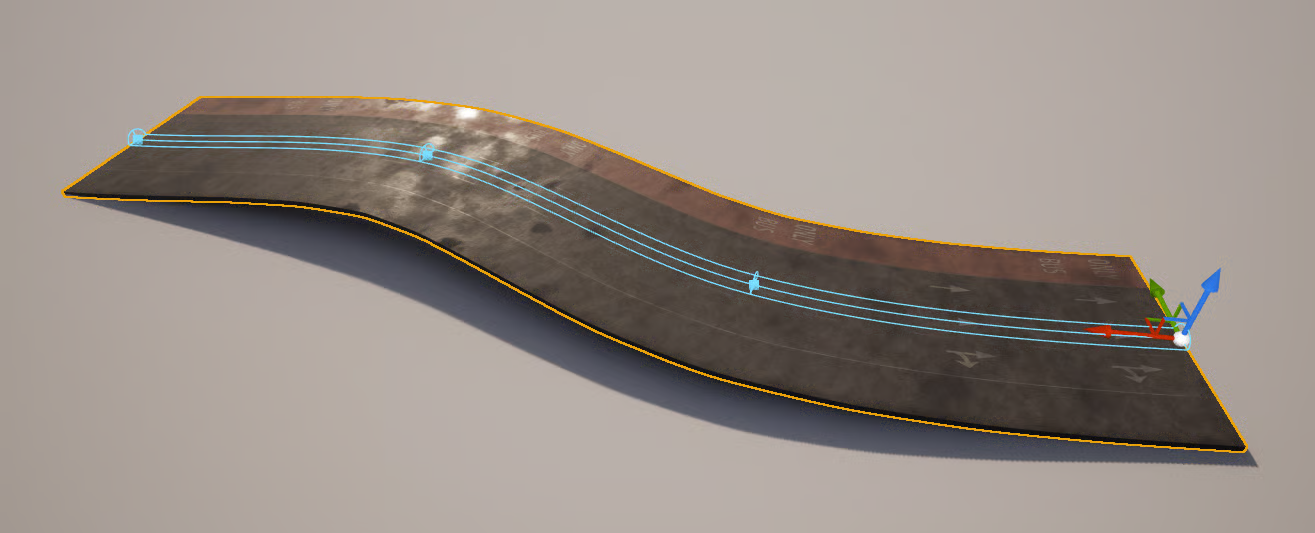
# Road Blueprint
Where to find it: *.../CityCore\_Paris/Blueprints/BP\_SplineRoad*
The **Road Blueprint** is a versatile and efficient tool for creating roads based on a spline. This blueprint allows you to quickly generate roads with customizable features, including lane configurations, marking lines, props/decals, etc.
* **Spline-Based Creation**\
You can easily edit the road path by adding and adjusting spline points' location and tangents in the editor.
* **Preset Data**\
Apply a new preset to quickly modify the road's appearance. This will overwrite the existing data, including the default static mesh, marking lines, lane configurations, props/decals, etc. Presets help the process of creating different types of roads, allowing you to customize the road's look and behavior efficiently.
* **Marking Lines**\
Adjust the number, spacing, and offsets of marking lines along the road. You can choose from five types of marking lines: Solid, Broken, Double Solid, Solid Broken, and Broken Solid. Additionally, you can modify each marking line individually for precise control.
* **Lane Configurations**\
Customize the road's lanes, including configurations like Forward, Bike Lane, Only Bus Lane, etc. You can create both one-way and two-way road setups, with full control over lane-specific behavior.
* **Props and Decals**\
Add realism to your roads with customizable props and decals such as manholes, dirt patches, spray-painted markings, and more. These can be automatically adjusted based on the road's spline layout.
* **Snapping to Intersections/Roads**:\
The blueprint supports snapping to predefined points on nearby intersections or other road blueprints, ensuring proper alignment and smooth transitions.
## **How to edit the Road Spline**
Select the “Spline” from the components and select a spline’s point.
Move the point (or the point’s tangents), and the road will be updated in real time.
If you want to add a new point, you can select a point, hold ALT, and move the point to a new position.
## **This Blueprint SHOULD be transformed into a Final Blueprint before packaging!**